
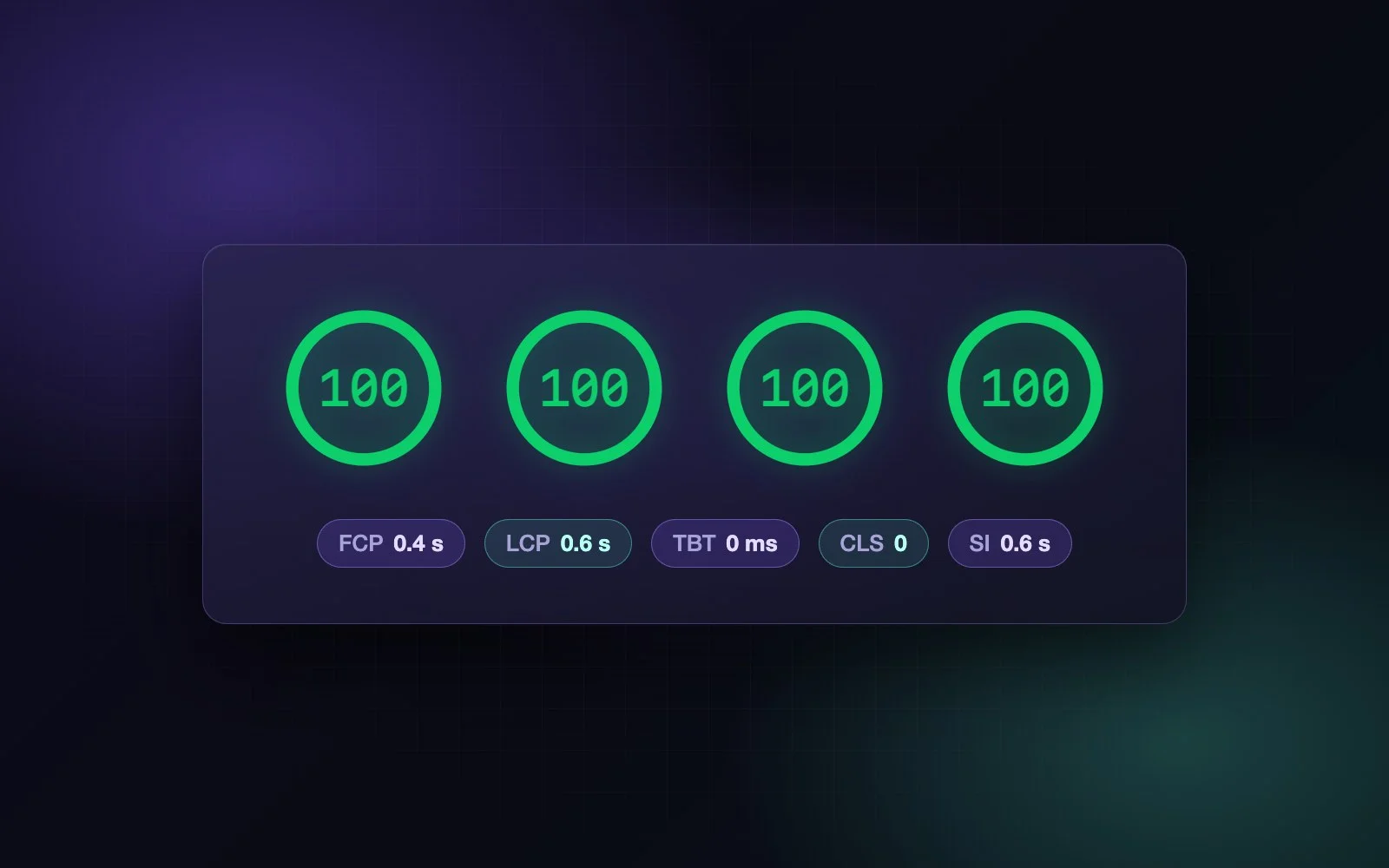
Google Lighthouse gives every web page a Lighthouse score from 0 to 100 in four main categories: Performance, Accessibility, Best Practices and SEO. The score shows how fast a page appears, whether everyone can use it, whether it is built safely and whether search engines can read it. We check every page of our own site this way: all 99 published pages score 100 in Accessibility, Best Practices and SEO, 100 in Performance on a computer and 92–100 on a phone.
In this article we explain what the Lighthouse score measures, what each metric means in plain words, why it matters for your business, what usually pulls it down — and what we do to keep ours at the top.

What Google Lighthouse is
Lighthouse is a free, open-source tool by Google. It loads a page in a controlled environment, like a visitor would, and runs more than 150 automatic checks on it. The results are grouped into categories, and each category gets a Lighthouse score from 0 to 100: 90–100 is green (good), 50–89 orange (needs improvement), 0–49 red (poor).
You can run Lighthouse in two places without installing anything: on PageSpeed Insights, Google’s website where you just enter an address, or in the Chrome browser itself (DevTools → Lighthouse). The numbers in this article come from Lighthouse 13.5.0, measured on September 27, 2026.
Why the Lighthouse score matters
- Visitors. Most visitors come from a phone, often on a weak connection. If the first screen takes long to appear or the page jumps while loading, many of them leave before they read a word.
- Google. Google uses Core Web Vitals — loading (LCP), response to clicks (INP) and visual stability (CLS) — as part of its page experience signals. Those are measured on real Chrome users, not by Lighthouse. The Lighthouse score itself is not a ranking factor, but it finds exactly the problems that make Core Web Vitals bad, before your visitors run into them.
- Advertising. In Google Ads, landing page experience is part of the Quality Score. A slow, jumpy landing page makes every click more expensive.
- The law. Websites of businesses in Israel must meet the Israeli accessibility standard 5568, and many businesses selling in the European Union must meet the European Accessibility Act. The Accessibility category checks part of these requirements automatically.
- AI agents. Browsers are starting to work with AI assistants that read pages and fill in forms for the user. Lighthouse now has a separate category for this.
The categories of the Lighthouse score
| Category | What it checks | Checks |
|---|---|---|
| Performance | How fast the page appears and becomes usable. The score is built from five metrics (below). | 49 |
| Accessibility | Whether people with disabilities can use the page: colour contrast, text for images, labels on form fields, heading order, names of buttons and links. | 76 |
| Best Practices | Safe and modern building: HTTPS, no errors in the browser console, no outdated libraries with known holes, images in the right proportions. | 21 |
| SEO | The basics search engines need: a title and description, readable links, a page allowed for indexing, language versions (hreflang). | 11 |
| Agentic Browsing (new, experimental) | Whether AI agents can read and use the page: a clean accessibility tree, a stable layout, an llms.txt file and WebMCP descriptions of forms. | 7 |
Accessibility, Best Practices and SEO are scored by the share of checks the page passes (some checks weigh more than others). Performance works differently: it is calculated from five measured metrics.
Performance metrics of the Lighthouse score in plain words
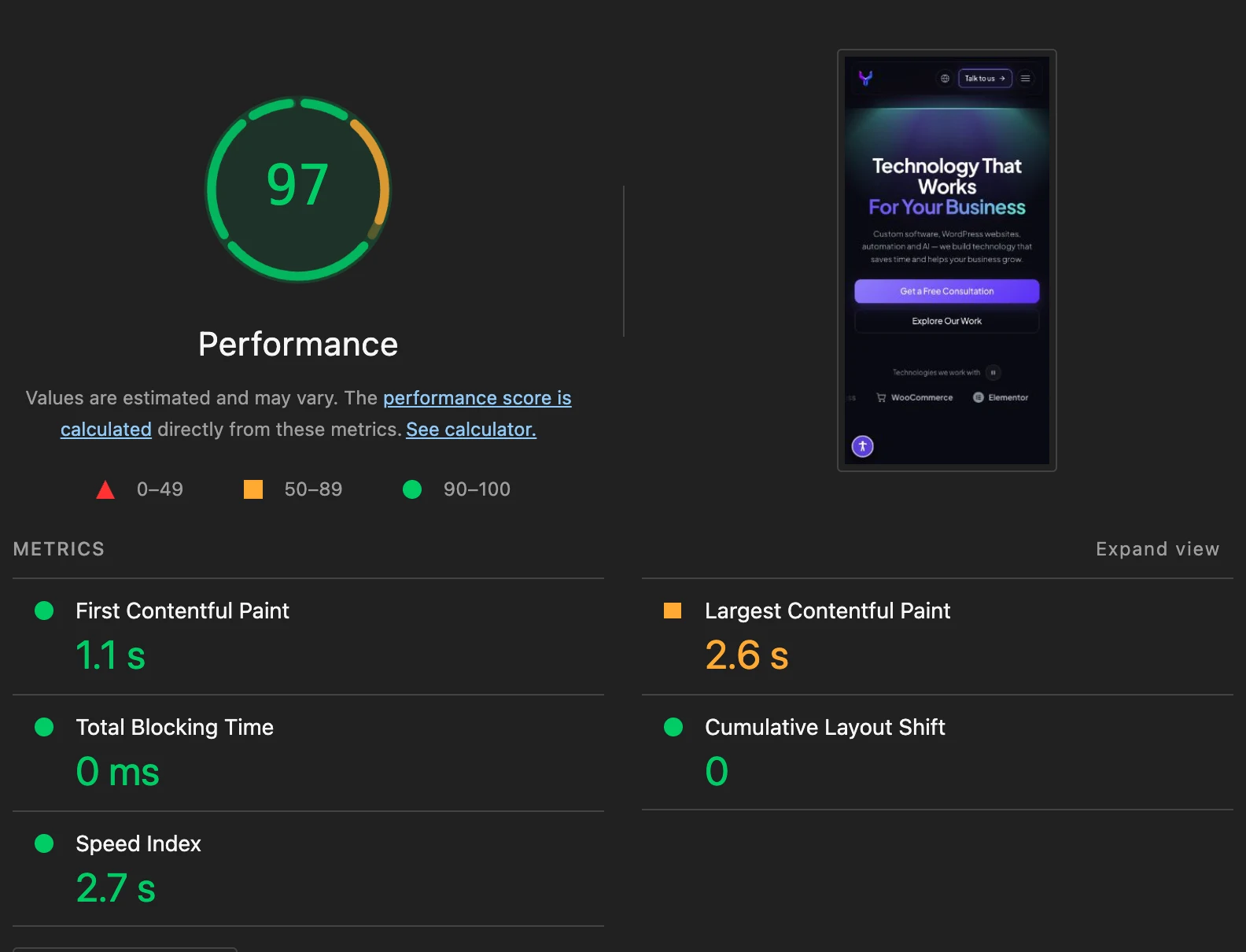
Each metric gets its own score, and the Performance score is their weighted average. Here are the five metrics, the value Lighthouse considers good on a phone, the weight of each metric in the score, and what our home page shows on a phone:
| Metric | What it means | Good | Weight | Our home page |
|---|---|---|---|---|
| First Contentful Paint (FCP) | When the first text or image appears — the moment the visitor sees that something is happening. | ≤ 1.8 s | 10% | 1.1 s |
| Largest Contentful Paint (LCP) | When the largest element of the first screen — usually the main heading or picture — is shown. The best single measure of “the page has loaded”. | ≤ 2.5 s | 25% | 2.6 s |
| Total Blocking Time (TBT) | How long the page is frozen by JavaScript while loading, so clicks and scrolling don’t respond. Heavy page builders and many plugins show up here. | ≤ 200 ms | 30% | 0 ms |
| Cumulative Layout Shift (CLS) | How much the layout jumps while loading — the text you started reading moves, a button slips away under your finger. | ≤ 0.1 | 25% | 0 |
| Speed Index (SI) | How quickly the visible part of the page fills with content, as a whole. | ≤ 3.4 s | 10% | 2.7 s |
Google’s Core Web Vitals add one more metric that Lighthouse cannot measure in a single page load: Interaction to Next Paint (INP), how fast the page reacts to clicks and taps during the whole visit (good: up to 200 ms). It comes only from real users; in the lab, Total Blocking Time is its closest stand-in.

Why the score on a phone is lower — and why it changes
Lighthouse tests a phone as a mid-range device on a slow network: the processor is slowed down four times, and the connection is about 1.6 Mbit/s with 150 ms of delay. That is harsher than most real phones, on purpose — a page that is fast there is fast almost everywhere. That is why the same page usually scores lower on a phone than on a computer.
The score also moves by a few points from run to run: the network, the server and the computer running the test are never exactly the same. On our own pages we have seen 93 and 96 for the same page a few minutes apart. Run the test two or three times and look at the typical result, not at a single number.
Lighthouse is a lab test: one load, in fixed conditions. PageSpeed Insights also shows field data from real Chrome users of your site (the Chrome UX Report) when the site has enough visitors; for smaller sites that block often says there is not enough data yet. Both are useful: the lab finds the causes, the field shows what visitors really experience.
Our results: 99 pages, every one checked
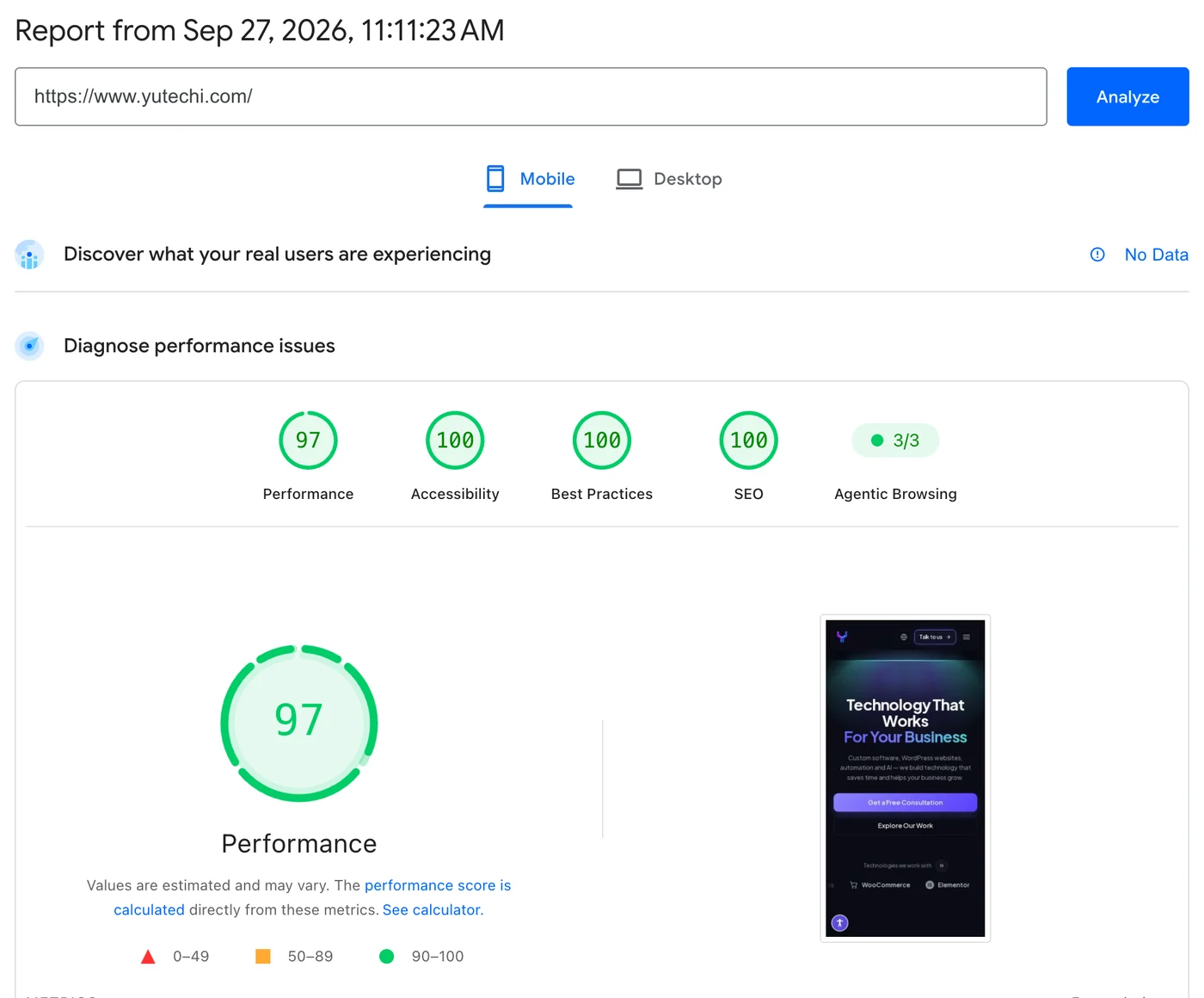
We don’t check only the home page. After every release we run Lighthouse on all 99 published pages of this site — pages, articles and projects in English, Hebrew and Slovak — on a phone and on a computer, and an accessibility scan (axe) on top. The Lighthouse score of every page:
- Accessibility, Best Practices, SEO: 100 on every page, on a phone and on a computer.
- Performance on a computer: 100 on every page.
- Performance on a phone: 92–100, typical 96; LCP 1.7–3.1 s.
- Layout shift (CLS): 0.05 at most.
How we keep the Lighthouse score at 100
A high score is not a plugin you install at the end. It comes from how the site is built:
- Our own theme code instead of a page builder, and a minimum of plugins. Little JavaScript means the page doesn’t freeze: Total Blocking Time stays near zero. We explain the approach in the article about websites built with ACF Flexible Content.
- Fonts on our own server, loaded in advance, with fallback fonts matched in size — no requests to Google Fonts and no jump when the font arrives.
- The main heading appears at once, without a fade-in effect, because it is the element LCP measures.
- Pictures in WebP, in several sizes, with width and height set, so the browser takes the right size and keeps the space for it. Pictures below the first screen load only when you scroll to them.
- Videos load on click. Until the visitor presses play, YouTube or Vimeo aren’t contacted at all.
- Caching and compression at Cloudflare for files (Brotli, HTTP/3), while the pages themselves stay up to date.
- Accessibility inside every section: headings in order, labels on form fields, contrast, visible focus, pause buttons for moving elements. That is why new pages stay at 100 too.
- SEO in the theme: titles, descriptions, language versions, structured data and an llms.txt file are generated for every page.
What usually pulls the score down
- Page builders and dozens of plugins that load their code on every page, even where it isn’t used.
- Heavy pictures: a 3 MB photo on the first screen, no WebP, one size for phones and computers.
- A slider or an animation on the first screen that hides the main heading for a second or two.
- Third-party widgets loaded right away: chat bubbles, tracking pixels, cookie pop-ups, embedded maps and videos.
- Fonts from outside servers, in many weights.
- Elements without a reserved size — banners, pictures, ads — that push the text down when they appear.
- Accessibility gaps: pale text, pictures without a description, form fields without labels, icon buttons without a name.
Is your website ready for AI agents?
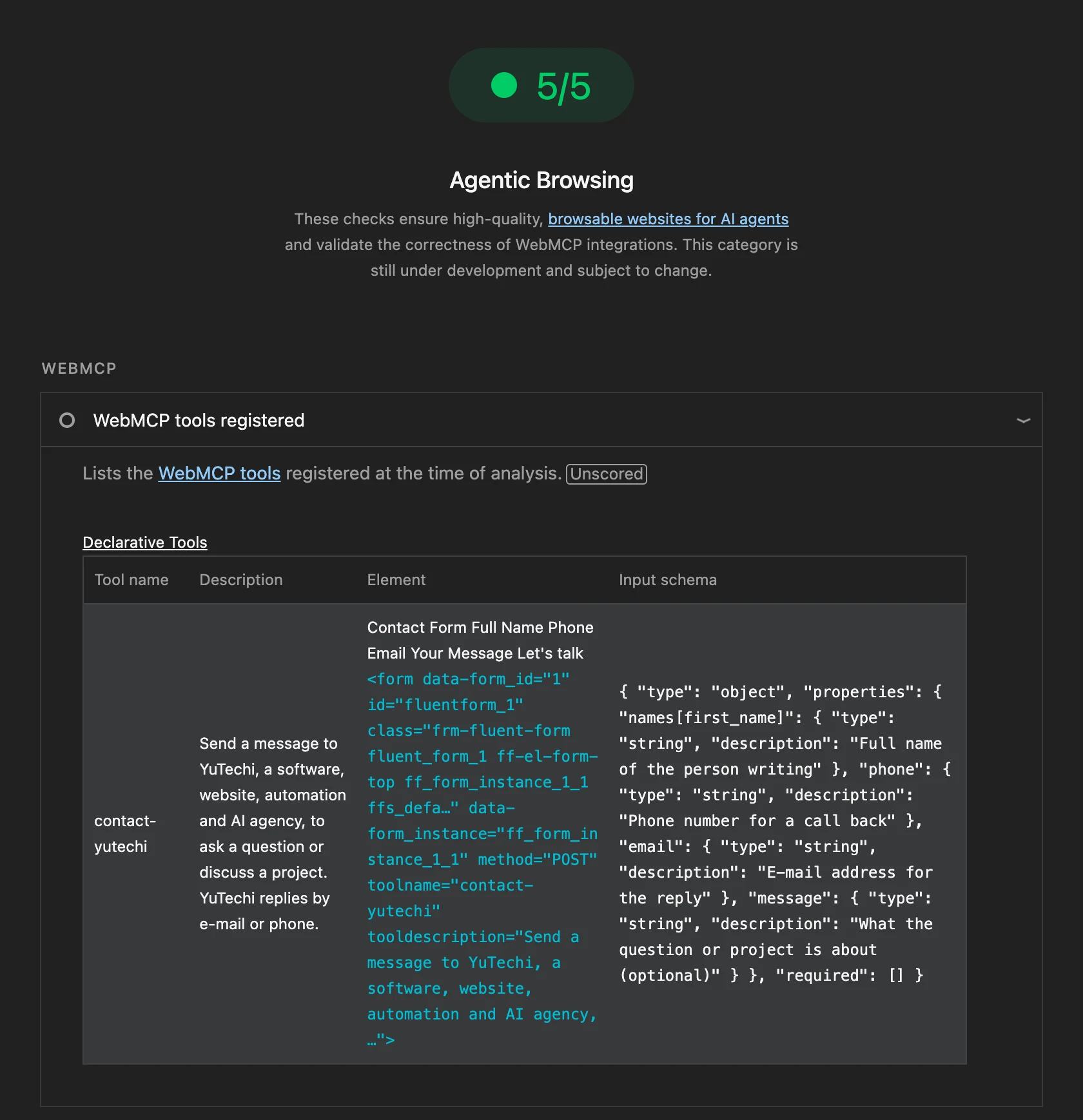
The newest Lighthouse category, Agentic Browsing, checks whether an AI assistant working in the browser can understand and use the page. It looks at the accessibility tree (the structure agents read, the same one screen readers use), at layout stability, at llms.txt — a short description of the site for language models — and at WebMCP.
WebMCP is a new, still experimental Chrome standard: a site describes its forms as “tools” with a name and a description of each field, so an agent knows exactly what the form does and what to put where. We added it to the forms on our site: the contact form is the tool contact-yutechi, and the audit request below is order-website-audit. An agent can fill the form in, but it is sent only by a person — there is no automatic sending.
How to check your website yourself
- Open PageSpeed Insights, enter your address and click Analyze.
- Start with the Mobile tab — most visitors come from a phone, and it is the stricter test.
- At the top, look at the field data (“Discover what your real users are experiencing”), if your site has enough visitors for it.
- Below, look at the four Lighthouse scores and the five metrics.
- Open Diagnostics: every item says what to fix and how much time it would save.
- Run the test two or three times, and check a few types of pages — the home page, an article, a product or service page.
Website audit by YuTechi
One page in PageSpeed Insights is a good start, but a site has dozens of pages built from different templates, and the problems hide in the ones nobody checks. We check the whole site the same way we check our own, and you get a clear document:
- Lighthouse on every page, on a phone and on a computer: all categories, the five metrics, and which templates pull the score down.
- Accessibility: an automatic scan (axe) of every page plus a manual check against the Israeli standard 5568 and WCAG — keyboard, focus, forms, contrast, text for images.
- SEO crawl: broken links, redirects, titles and descriptions, headings, language versions, the sitemap and structured data.
- A fix plan with an estimate: what to fix first to gain the most, and how much time and money each step takes.
The price depends on the size of the site. Leave the address of your website below, and we’ll send you a quote.
Frequently asked questions
Do I need 100 in every category?
No. A green Lighthouse score (90 and above) is a good result. What matters more is that none of the important pages is red, and that Core Web Vitals of real users are good. 100 in Accessibility and SEO is realistic for any site built with care.
Does the Lighthouse score affect my Google ranking?
Not directly. Google uses Core Web Vitals measured on real users. But the Lighthouse score finds the same problems — slow loading, jumping layout, heavy JavaScript — so improving it usually improves Core Web Vitals too.
Why is my score lower on a phone than on a computer?
Because Lighthouse tests a phone as a slow device on a slow network, on purpose. A page that is fast in those conditions is fast for almost every visitor.
Why does the Lighthouse score change every time I run the test?
The network, the server and the testing computer are never exactly the same. A difference of a few points is normal — run the test several times and look at the typical result.
Can a WordPress website score 100?
Yes. This site is built on WordPress. What decides the score is how the theme is written and how many plugins load on the page, not WordPress itself.
How much does a website audit cost?
It depends on the number of pages and templates. Send us the address in the form above, and we’ll reply with a quote and what the audit will include.
Want a fast, accessible website?
We build websites that keep a high Lighthouse score after launch too, because speed and accessibility are built into every section. See our services or tell us about your project.