
I build WordPress websites with ACF Flexible Content: business websites, online stores and landing pages. It is a professional way to build a site from sections that I design and code specifically for each project: a hero, services, a gallery, testimonials, forms, text with media. It is not a ready-made theme and not a generic page builder, but a system of blocks built for your business.
The big advantage is simple content editing. You add the sections a page needs and change their order, update texts and images, adjust spacing and colours, and set an image, a slider or a video as the background. When the project calls for it, I also add a layout choice to a section — for example an image to the right, to the left, above or below the text.
And with all that, the design cannot be broken. The layout of every section is defined in code, so pages always look tidy and professional, no matter how many times they are edited.
What websites I build
Business websites. A site that presents your business, services and brand professionally. With sections it is easy to add service pages, update content and grow the site together with the business.
Online stores. An online store on WooCommerce, with a home page, category pages and promotion pages built from sections. You update banners, offers and content without a developer.
Landing pages. Landing pages for campaigns, services and promotions. From one landing page you get a system for creating more and more new pages.
What ACF Flexible Content is
ACF (Advanced Custom Fields) Pro is one of the most widely used tools in professional WordPress development. Agencies and developers all over the world use it for sites where speed, reliability and easy editing are critical.
Flexible Content is an ACF feature for building pages from a library of prepared sections. The developer codes every section and decides which settings to open to the client. The client assembles any page from them, right in the WordPress dashboard.
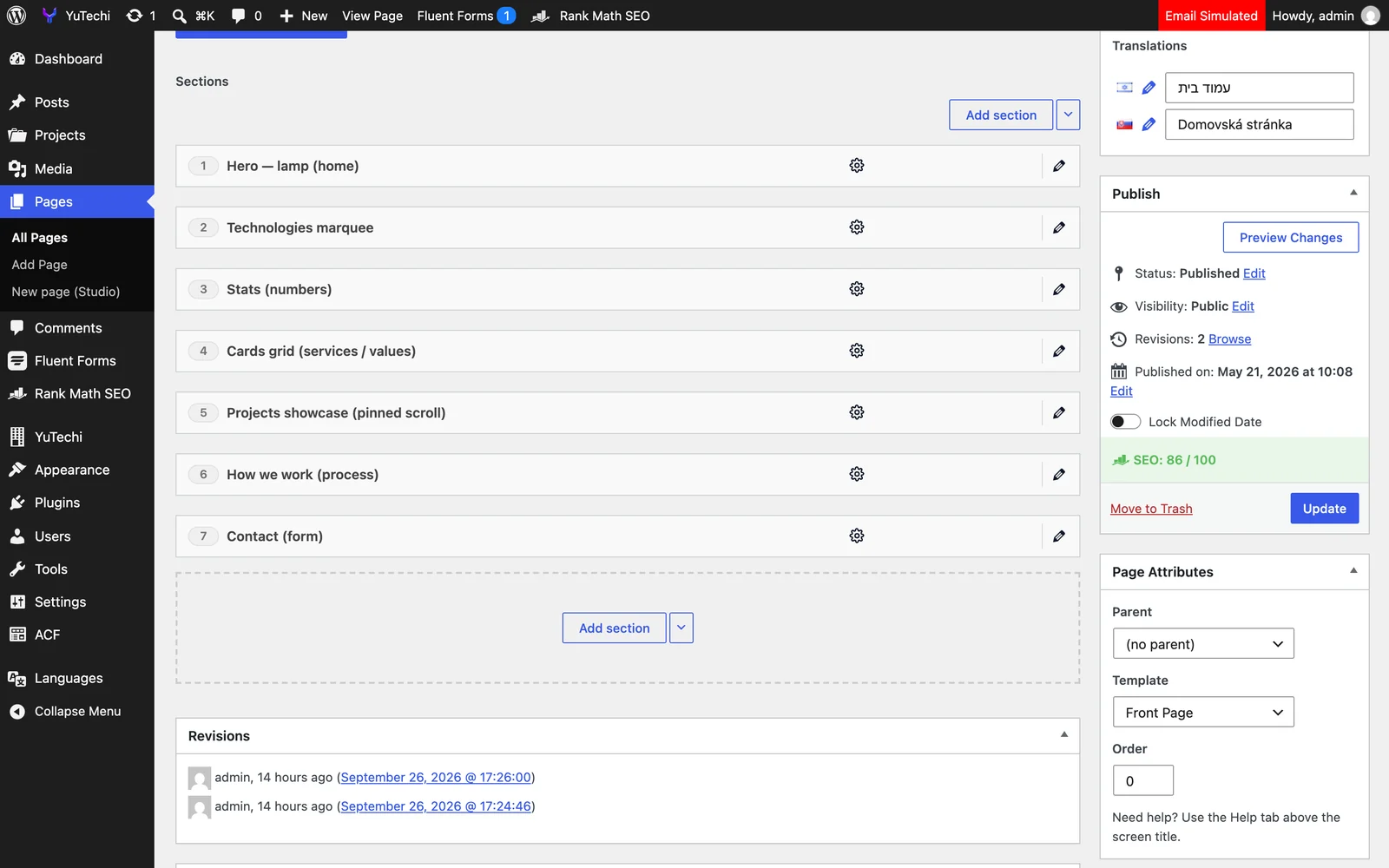
In visual page builders like Elementor, the developer and the client work in the same tool with thousands of generic settings. With ACF Flexible Content the code is written specifically for your site, and the dashboard keeps only what is really needed. The result is a fast site, clean code and clear, simple content editing.
A WordPress landing page that gives birth to dozens more
When you order one landing page on ACF Flexible Content, you get more than one page: you get your own page-building system made of ready sections.
Need a landing page for a new service, a promotion or a campaign? Create a new page, add sections, replace texts, images and colours, and in minutes the new landing page is ready. No developer, no extra cost and no risk of damaging the design.
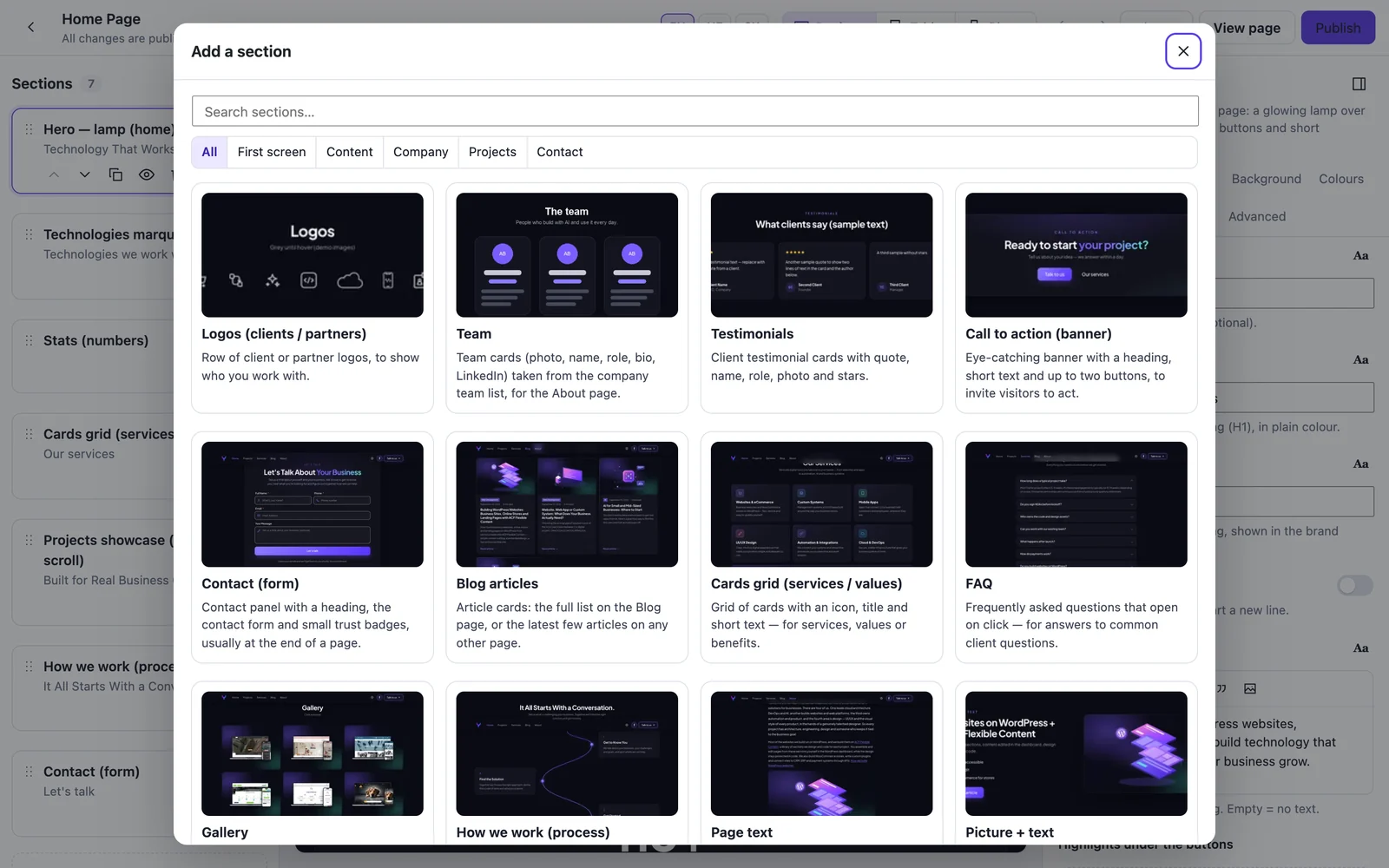
Over time the system is easy to extend. I add new sections, and they are immediately available on every page of the site. The block library grows together with your business.
Section Studio: edit the page while you see it
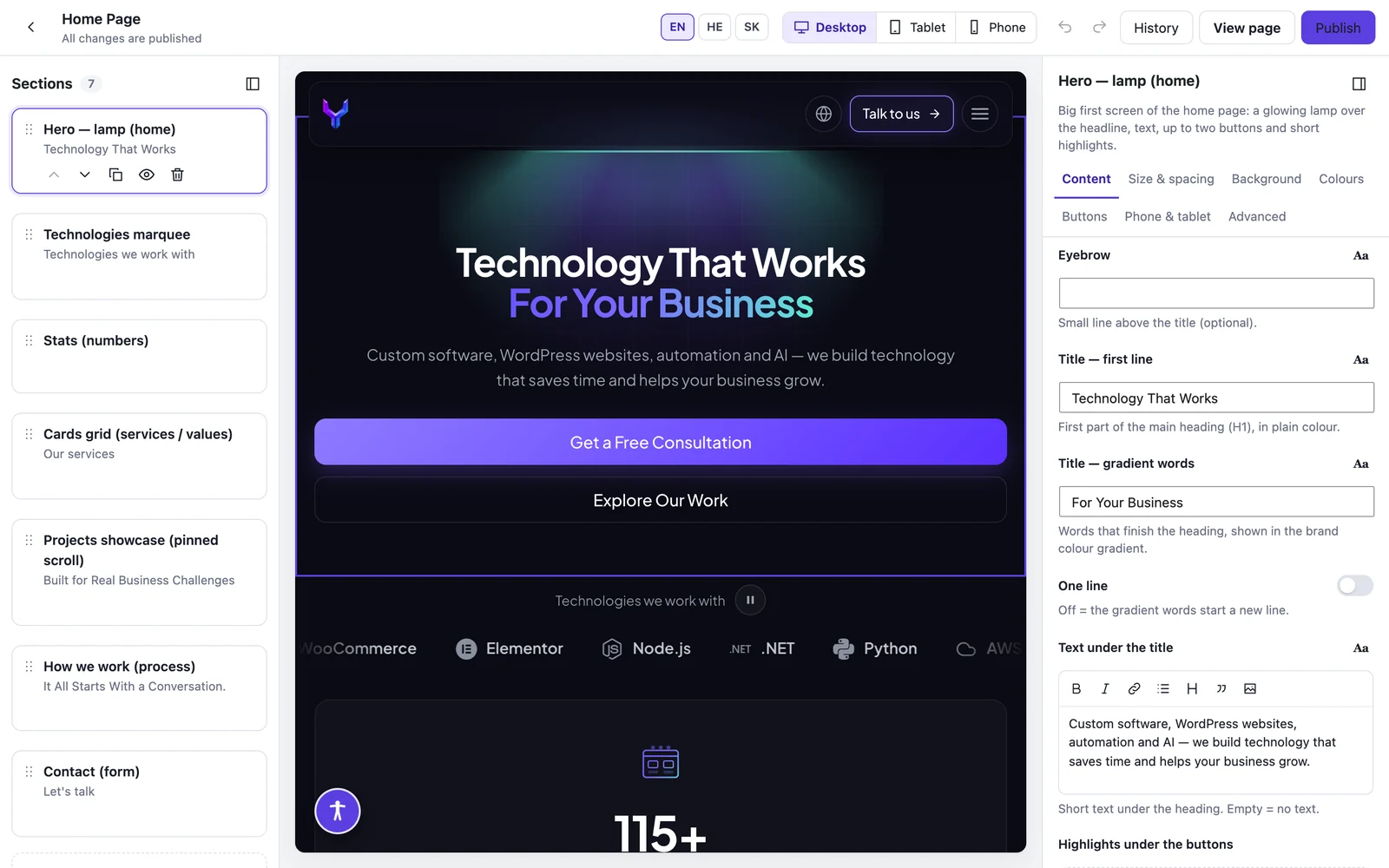
Clients often ask whether a site built on ACF can be edited visually, like in Elementor. For that I built Section Studio — a visual editor that works on top of the same ACF Flexible Content sections. It opens with one click from the list of pages, and it edits the same fields as the classic WordPress screen.
You click a heading or a paragraph right on the page and type. A small toolbar sets the alignment, size, font and a colour from the brand palette.
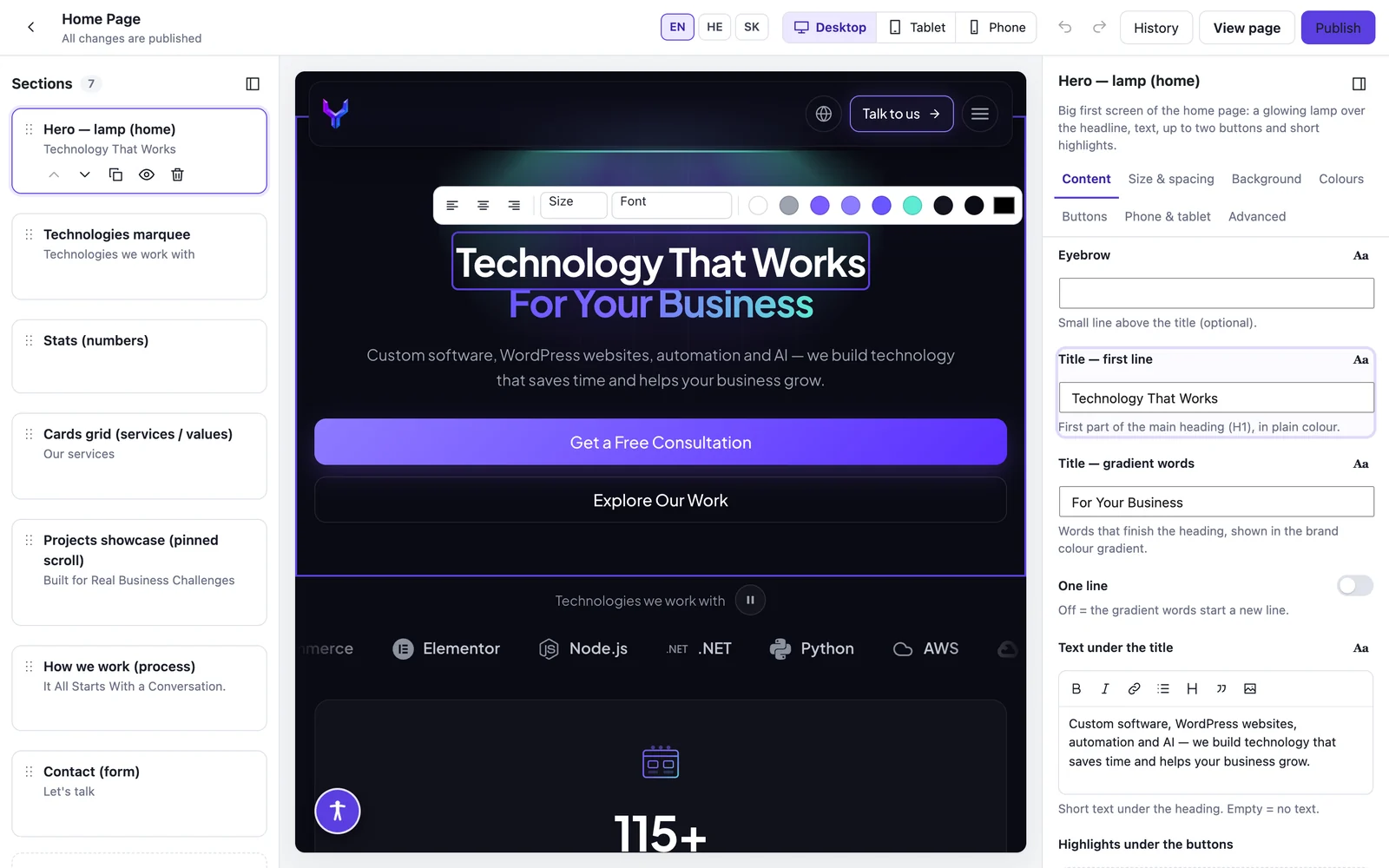
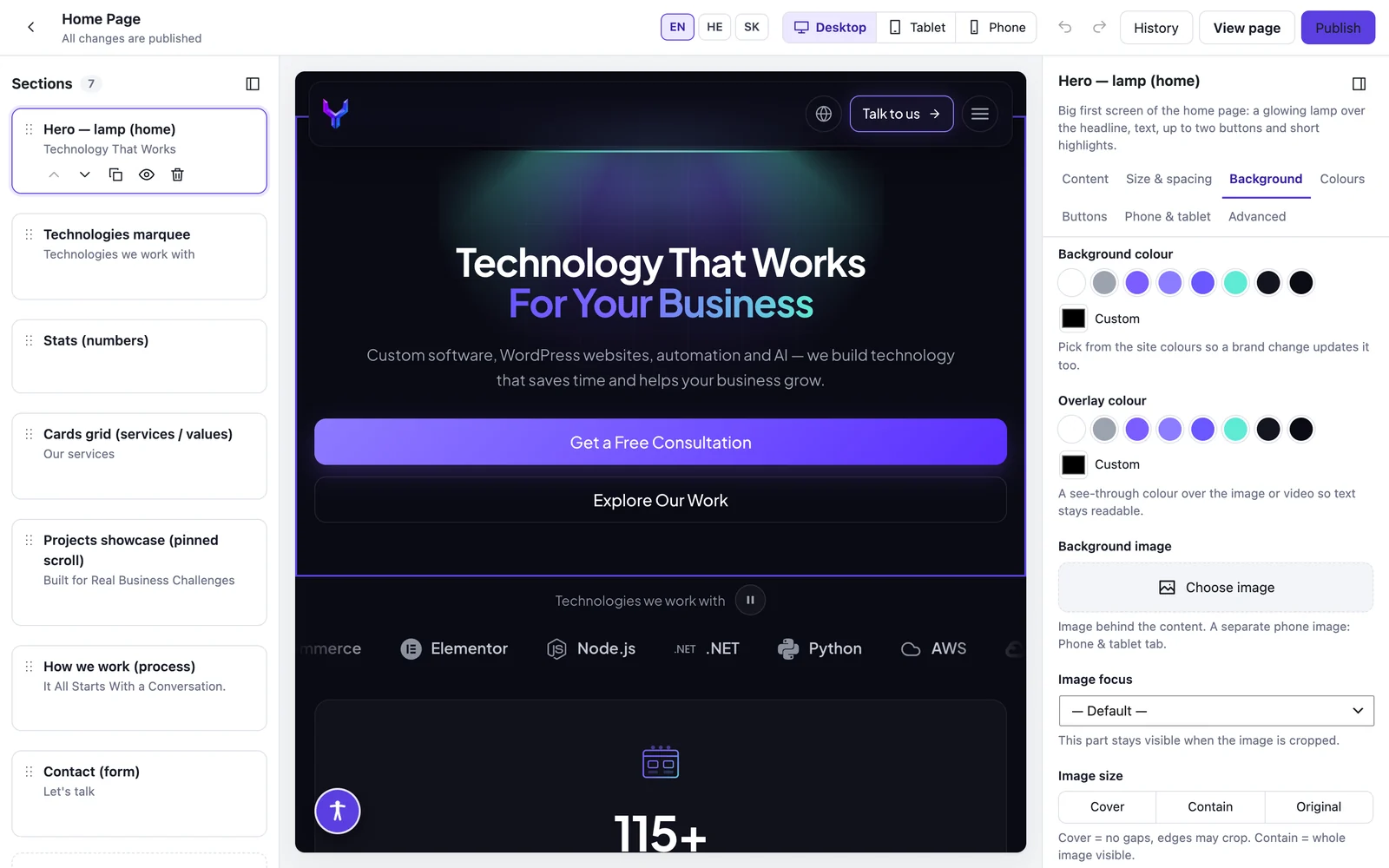
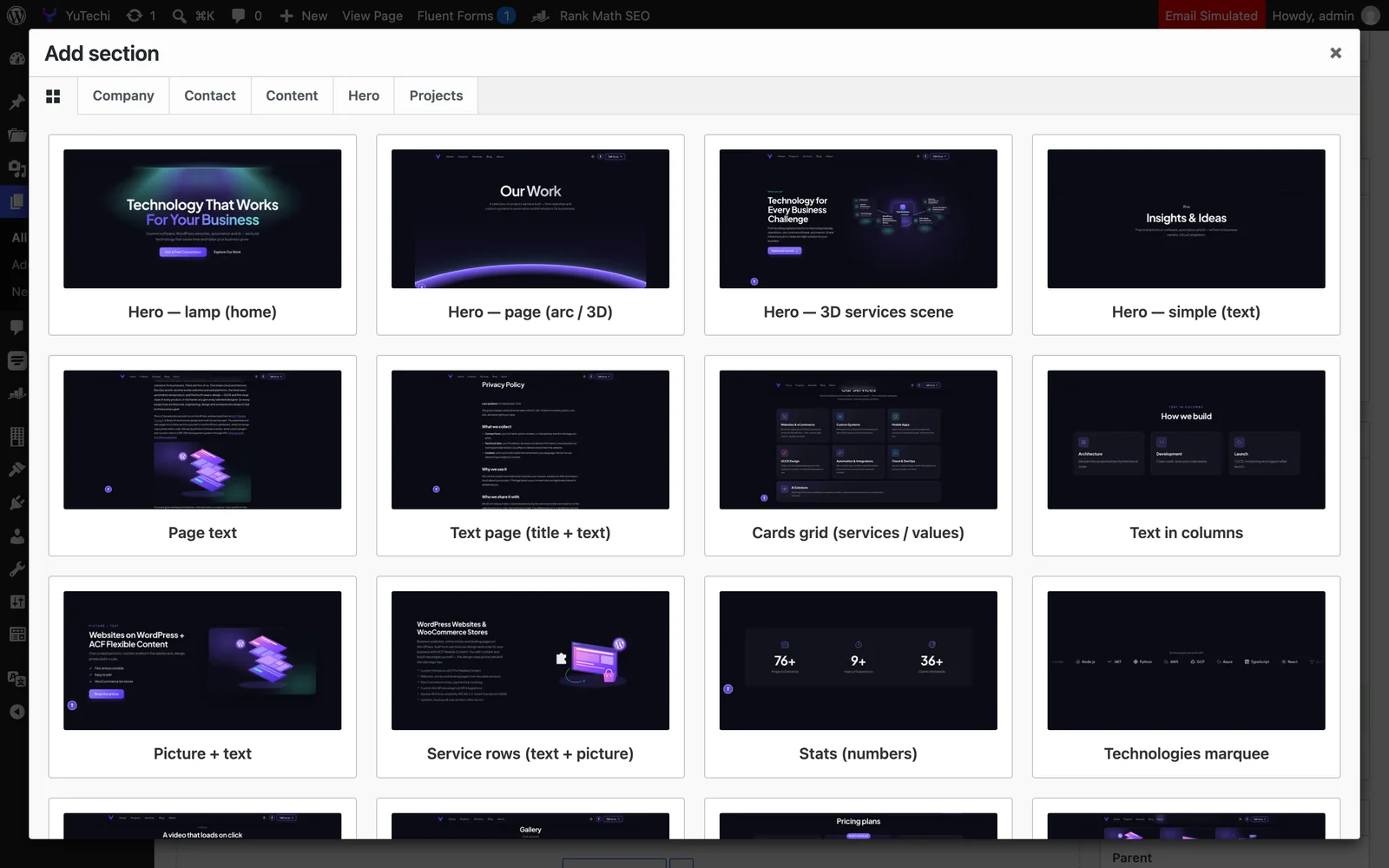
ACF Flexible Content sections are added from a library with preview pictures, and moved, duplicated or hidden with one click. The background, colours, spacing and buttons of every section sit on separate tabs.
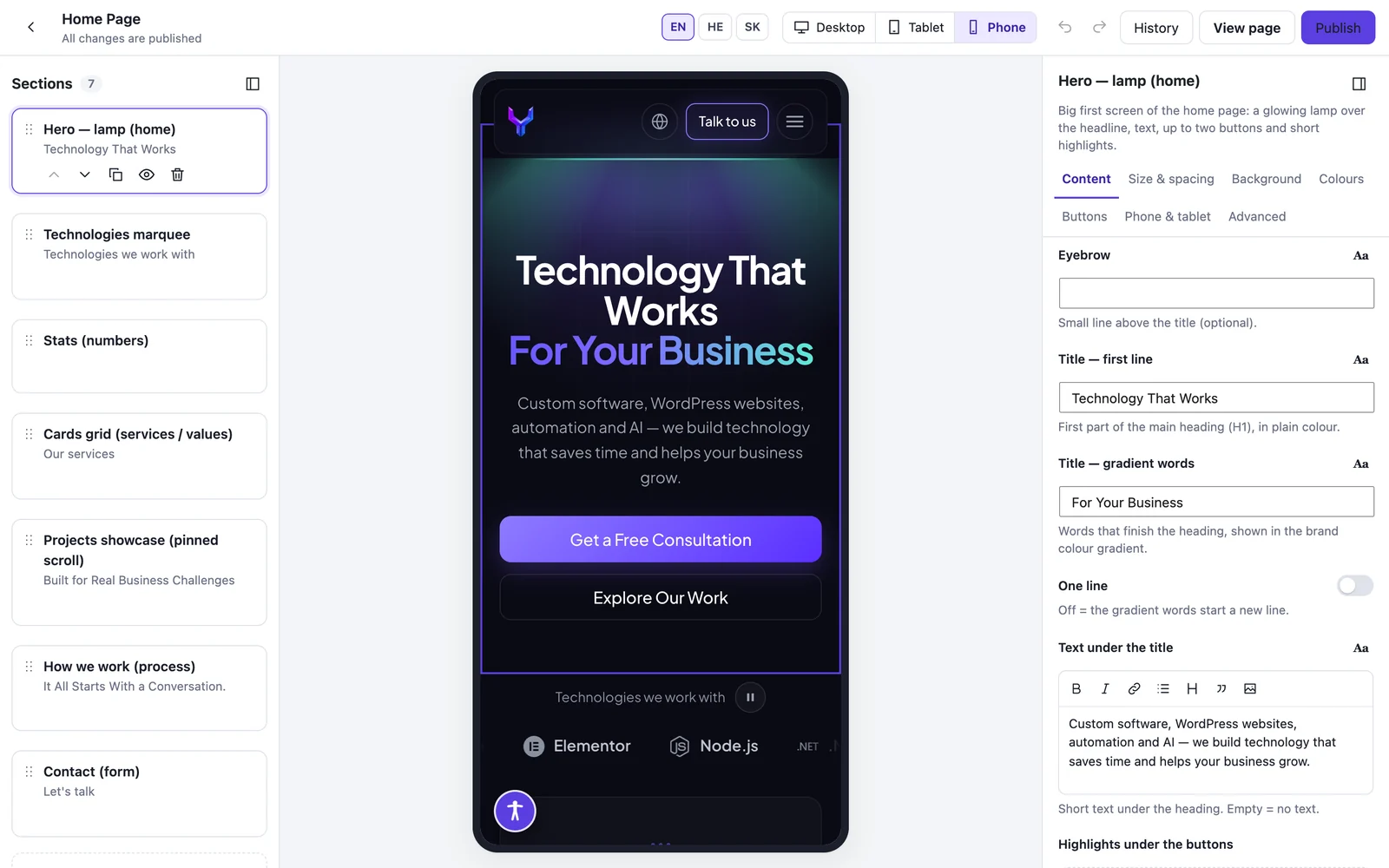
Before publishing you check the same page on a phone and a tablet. Changes are saved as a draft automatically, the page on the site changes only when you click Publish, and History brings back any earlier published version. On a multilingual site you switch between the language versions of the page on the same screen.
The design stays protected here too: Section Studio changes only what the section allows — texts, pictures, colours and the order of the sections. The layout stays in the code.
How the project works
1. Planning and design. We work out which pages are needed and which blocks repeat across them. That becomes the foundation of the system.
2. Developing the sections. Every block is developed with ACF Pro Flexible Content and dedicated code, without visual page builders: responsive design, multilingual and right-to-left support, accessibility and animations. Only the settings that are really needed reach the dashboard. Every section has a preview image, so you immediately see how it will look.
3. Assembling the pages. All the pages of the site or the landing page are assembled from the sections. New pages are created later in minutes.
4. Handover. I show you how to work with the sections and settings. The interface is intuitive, and one short meeting is usually enough.
ACF Flexible Content or Elementor: which to choose
Elementor is a popular WordPress page builder, and it has its place. But for a site that is meant to live and evolve for years, ACF Flexible Content has significant advantages.
| ACF Flexible Content + Section Studio | Elementor | |
|---|---|---|
| Editing content | A clear list of ACF Flexible Content sections and simple fields, or typing right on the page in Section Studio. | Hunting for the right element among dozens of panels and settings. |
| Design | Protected: the layout of every section lives in code. | Any editor can move a column or change spacing by mistake, and over time the site “falls apart”. |
| Updates | The design does not depend on plugins, so updating WordPress or a plugin does not break it. | One update of the builder or a plugin can break whole pages. |
| Plugins | A minimum, for functions only: fewer security holes, conflicts and paid licences. | The builder, its add-ons and usually many more plugins. |
| Speed | Each page loads only the sections it uses. | Every page loads a lot of the builder’s code. |
| Special features | Custom logic, integrations and animations are written directly. | They have to be worked around the builder’s limits. |
These are not promises. Google Lighthouse gives this very article 100 for performance, accessibility, best practices and SEO on desktop, and 97 for performance on a phone (measured in September 2026). A fast site ranks better on Google and brings more enquiries. What these numbers mean: Lighthouse score explained.

For a quick temporary landing page, or when the team has a designer who wants to redesign every page themselves, Elementor may be the better fit. For a business website, a store or a landing-page system that is updated regularly and must stay fast, stable and tidy, ACF Flexible Content is more reliable and easier to maintain.
An accessible website to the European standard
Many businesses that sell to consumers in the European Union must meet the accessibility requirements of the European Accessibility Act (EAA), which applies since June 2025 and relies on the European standard EN 301 549 — in practice WCAG 2.1/2.2 at level AA. An inaccessible website shuts out visitors with disabilities and can expose the business to complaints and fines.
I develop the sections to these requirements already at the code level: a correct heading structure, keyboard navigation, colour contrast, alternative text for images and screen-reader support. Accessibility is built into the site itself rather than relying only on an external plugin. And because every page is assembled from the same sections, new pages you create yourself stay accessible too.
How much does a WordPress website cost?
The price of every project depends on its scope. The main factors:
- Type of site. A business website, an online store or a landing-page system.
- Number of section types. How many different blocks need to be developed. Once they exist, the number of pages hardly affects the price.
- Design. A ready design from the client or a design made specially.
- Special functionality. Payments, invoicing, integrations with external systems, advanced forms.
- Content. Whether the content is ready or you need help preparing it.
After a short introductory call I send a detailed quote with a clear definition of what the project includes — no surprises later.
Support and maintenance after launch
The work doesn’t end when the site goes live. I offer ongoing support that includes:
- Regular, safe updates of WordPress and the plugins.
- Regular backups of the site.
- New sections when the business needs more blocks.
- Technical support and answers to questions about managing the site.
Who develops your website
My name is Dmitry Bobrovsky, and I develop websites at YuTechi. I studied software engineering at the Technion. Before joining YuTechi I worked as a front-end developer at IronSource/Unity and Next Insurance, led a development team at Carbonatix, and headed web development at Leos Media and Interactive and at LBR & Partners.
I bring that high-tech experience to every site: clean code, high performance and a system built for the long term. Some of the sites we have built are on the projects page, and everything we do is on the services page.
Frequently asked questions
Can I manage the site’s content myself?
Yes. Texts, images, colours and the order of the sections are updated right in the WordPress dashboard, with no coding knowledge.
Can I create new pages and landing pages myself?
Yes. A new page is assembled from ready sections in minutes.
What happens when WordPress or the plugins are updated?
The design lives in the theme code and does not depend on plugins, so you can update with peace of mind.
Will the website be accessible as the law requires?
Yes. The sections are developed to the European standard EN 301 549 (WCAG AA), and new pages you create stay accessible.
Do you also build online stores?
Yes. I build stores on WooCommerce, with sections for the home page, categories, promotions and content blocks.
How long does it take to build a website?
It depends on the scope of the project. The exact timeline is in the quote.
Can I see the changes before they go live?
Yes. In Section Studio changes are saved as a draft, and you check the page on a computer, a tablet and a phone. The site changes only when you publish.
Can the website be in several languages?
Yes. This site works in English, Hebrew and Slovak, and every language version of a page is built from the same sections.
What if I later work with another developer?
The site is built on standard WordPress and ACF Pro, which any experienced WordPress developer knows. The site, its content and its code stay yours.
Let’s talk about your website
Want a business website, an online store or landing pages that are easy to manage and stay fast and stable for years? Leave your details in the form below, and we’ll set up a short introductory call.